
One inbox for every customer conversation.
Bring your connected channels together, automate routine questions and follow-up, and give your team the full context when a person needs to step in.


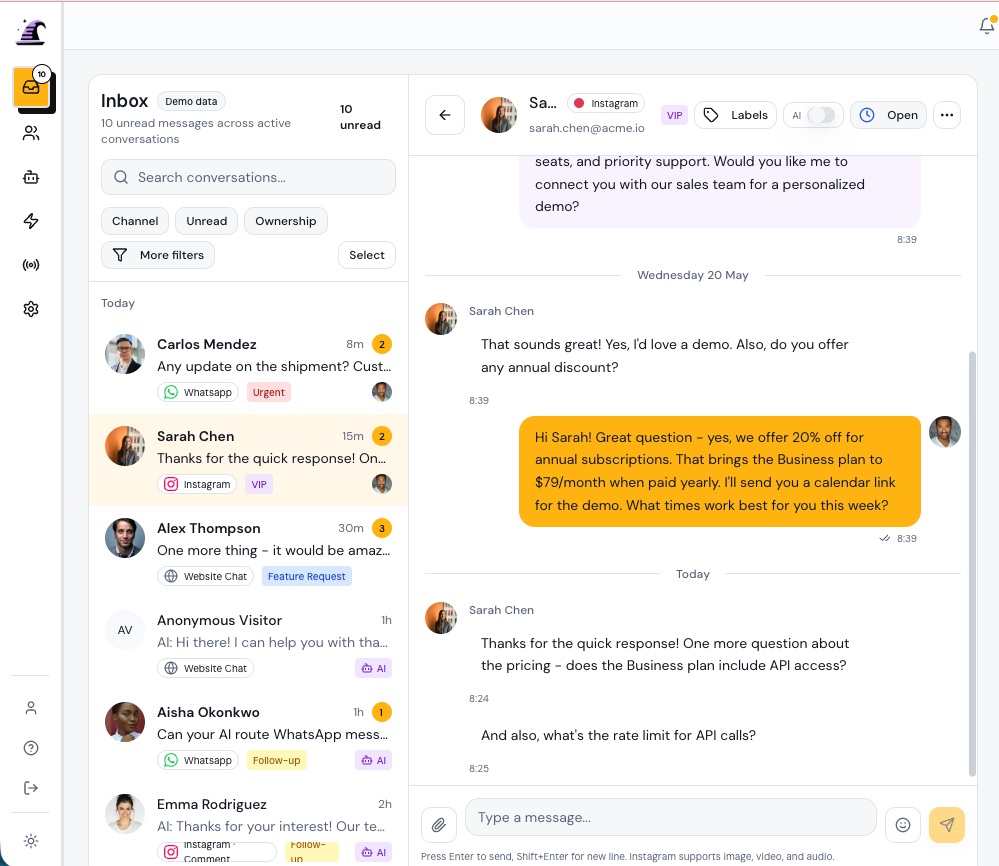
Manage connected channels from one Conversation list
Website chat, WhatsApp, and Instagram share the same composer, templates, assignments, and internal notes. Channel identity stays visible, but your team keeps one process.
- Three-zone layout: Conversation list, message history, and Contact context.
- Channel-aware composer with templates, attachments, and format hints.
- Internal notes that stay invisible to Contacts.
- Saved views, filters, bulk actions, snooze, and merge for busy inboxes.
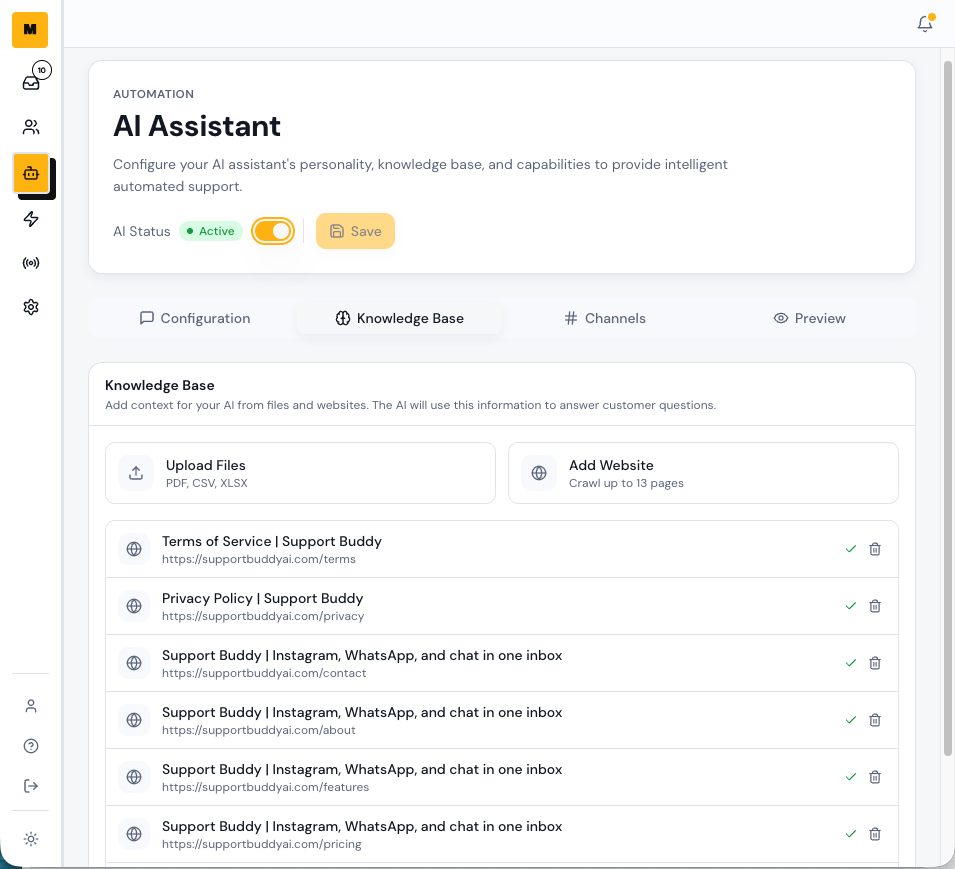
Let AI handle routine questions without hiding the handoff
Support Buddy records when AI replied, when confidence changed, and when a Teammate took over. Your team can review every automated response.
- AI auto-replies from your FAQs and sources on connected channels and in automations.
- Clean handoff when confidence drops or the customer asks for a person.
- Clear AI and Teammate badge on every Conversation and reply.
- One-click takeover from any Teammate, on any channel.
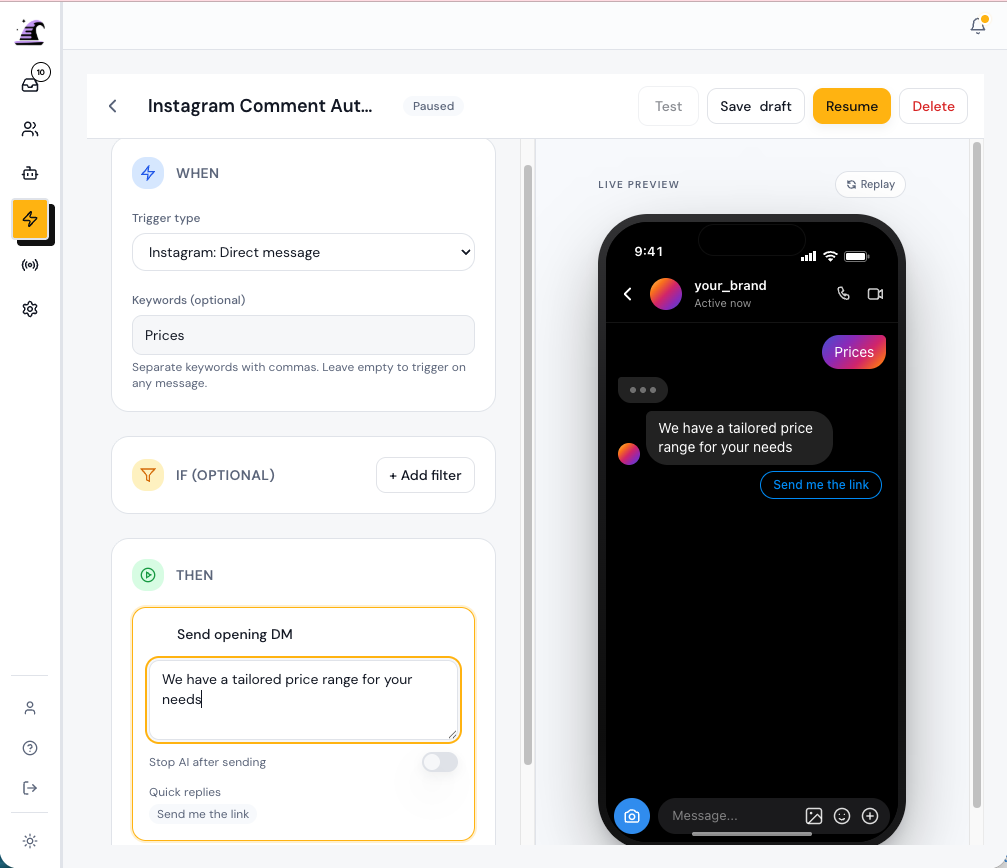
Build the customer path from trigger to handoff
Each Automation uses a vertical step list with a preview of the customer experience. Add a trigger, conditions, actions, and a handoff when a person should continue the work.
- Comments, story replies, new messages, and chat opens on your connected channels can all start an Automation. Messenger triggers are coming soon.
- Send a link, send a form, send a templated reply, tag the Contact, assign the Conversation, or hand off to a Teammate.
- Wait, branch, or stop without turning the builder into a maze.
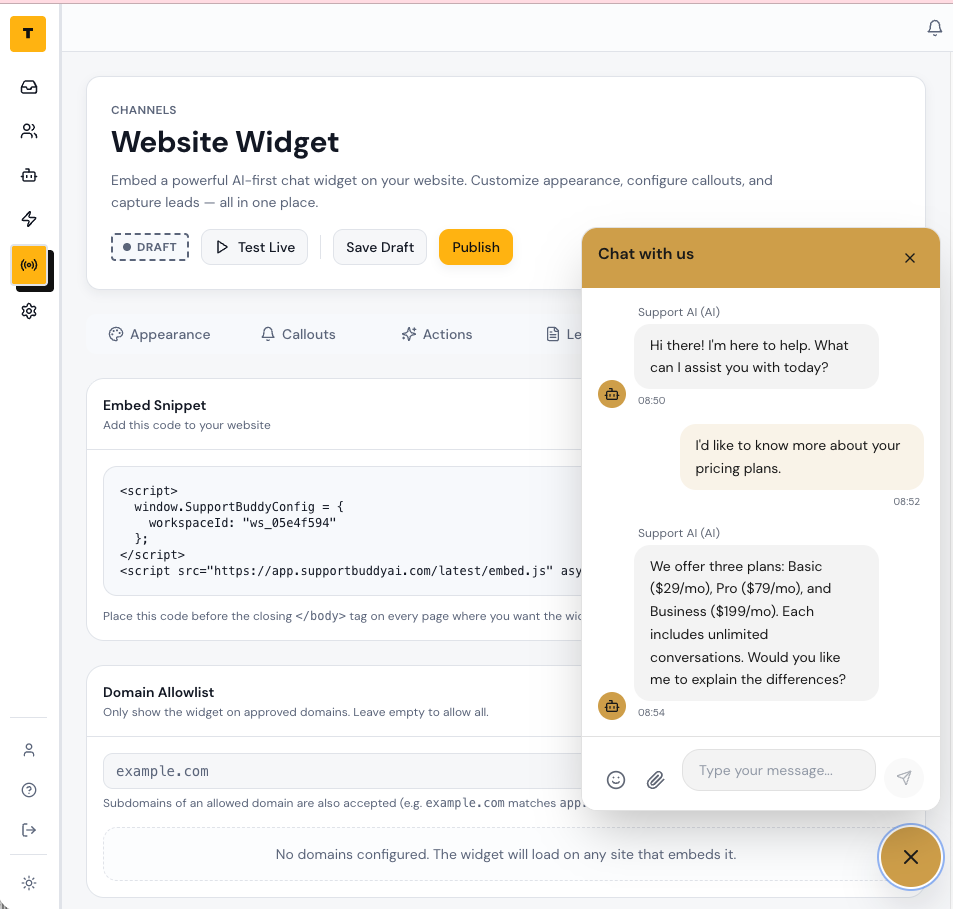
Answer website questions with the same inbox and sources
Drop the widget on your site. AI handles common questions on day one. When confidence drops, the Conversation routes to a Teammate cleanly, with full context.
- AI sources from URLs, files, and FAQs.
- Live preview pane next to every setting.
- Office hours, away states, and prechat form for real-world coverage.
- Conversation transcripts saved on every Contact.
Send the right DM when someone comments
Choose a keyword such as "link" or "price." Support Buddy can respond to the comment and send a private reply with the next useful step.
- Choose the keyword that signals interest in your offer.
- Pair a public response with a relevant private reply.
- Share a product link, booking page, or lead magnet in the DM.
- Tag the Contact so your team can find and follow up with interested people.
Keyword in. Link in DMs.
@creator
link
Trigger matched: pricing keyword
Public reply
Sent you the link in DMs. Check your inbox.
DM conversation
Automated DM
Here is the link you asked for.
Build a contact list you can reach beyond Instagram
Offer a useful resource in DMs, ask for an email address, validate the reply, and tag the Contact for future follow-up.
- Deliver a lead magnet inside the DM conversation.
- Ask for and validate an email address before continuing.
- Tag Contacts by offer, campaign, or level of interest.
- Export contact information for approved follow-up outside Instagram.
Freebie to email to tag
You
Reply GUIDE and I will send the launch checklist.
Contact
GUIDE
You
Love it. Drop your best email and I will send the file.
Contact
maya@studio-north.co
Validation
Valid email
Format checked before the next step runs.
Auto-tag
Segment: Launch checklist · Source: Instagram DM
Answer common questions and route the rest to your team
Support Buddy uses your approved sources to respond to routine Instagram questions. Your team can see the response history and take over when the conversation needs judgment.
- Use your FAQs, documents, and website pages as answer sources.
- See confidence and source information alongside the Conversation.
- Route low-confidence replies to a Teammate.
- Continue the same DM conversation without asking the customer to start again.
AI drafts. Humans finish.
Incoming question
Do you offer refunds on annual plans?
Draft from your sources
Yes. Annual plans include a 14-day refund window. I can connect you with billing if you need help.
Needs a human
Can you waive the fee for my account? I have been a customer for years.
A Contact record that earns its keep.
Every Conversation, internal note, and Automation event lands on the Contact timeline. Edit attributes, segment Contacts, merge duplicates, and import from CSV.
- Unified timeline of Conversations, notes, and Automation events.
- Custom attributes per Contact.
- Segments built from real attributes, not vague tags.
- Merge and import flows that respect history.
A Contact record that earns its keep
Amina Yusuf
Customer since March. Active on two connected channels.
Conversation: Collab DM
Conversation assigned: Wholesale inquiry
Internal note: Wants routing demo
Automation event: Follow-up form sent
Start with one workflow your team repeats every day.
Connect a channel, add your approved sources, and test the customer path before you publish.