
Turn Instagram comments into qualified DMs automatically.
Reply to comments, send the right private message, collect lead details, and continue every important conversation from one inbox.
14-day free trial. Cancel anytime.
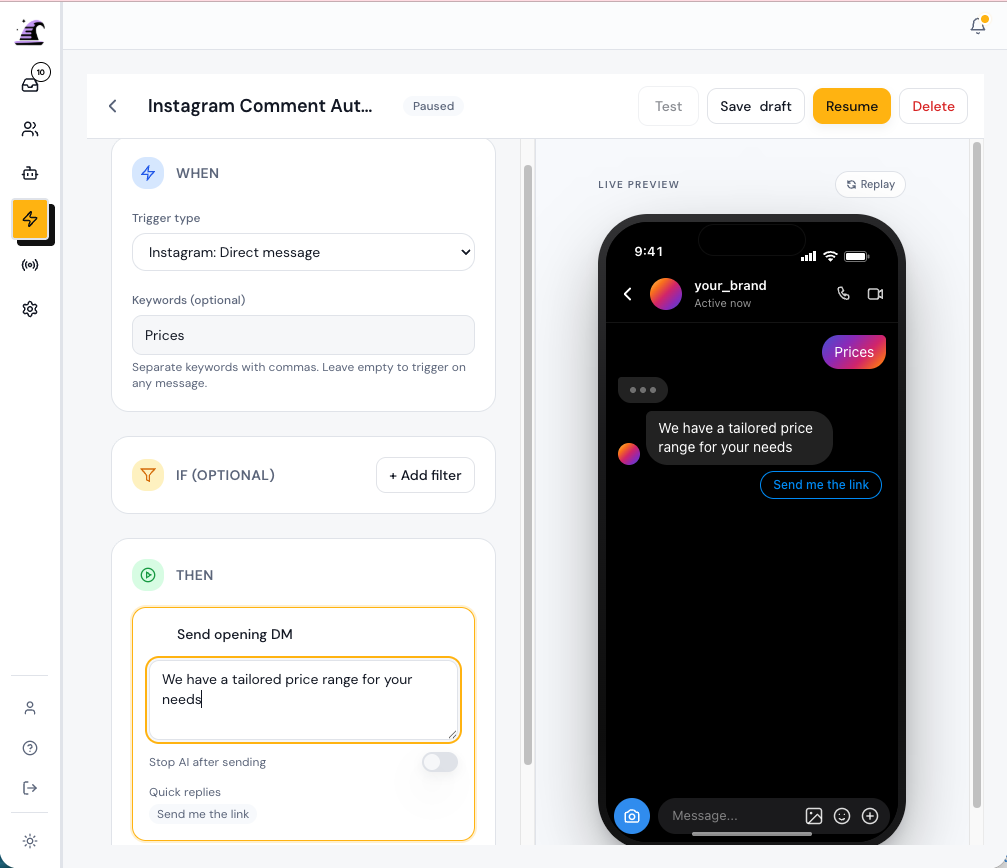
A comment shows interest. The right private reply gives that person a useful next step.
Copying links into DMs does not scale with a successful post.
People comment because they want something specific. When replies are delayed or generic, the conversation loses momentum. Support Buddy gives each campaign a repeatable path from the public comment to the relevant private response.
Respond when someone shows interest
Choose the comment keyword that matters for your campaign and send a response tied to that intent.
Deliver the next step in DMs
Share a product link, booking page, offer, or lead magnet in the private reply instead of copying it by hand.
Give your team the full context
Keep the comment, private reply, contact details, and team follow-up together in one Conversation.
Build and test the workflow in three steps.
Start with one keyword and one useful reply. Add more steps after the basic path works.
Start free trial- 01
Connect Instagram
Link the Instagram professional account you use for customer conversations.
- 02
Choose the trigger and response
Set the keyword, public response, private reply, and any link or lead-capture step.
- 03
Test before you publish
Run a test comment, confirm the customer path, and publish the Automation when it is ready.
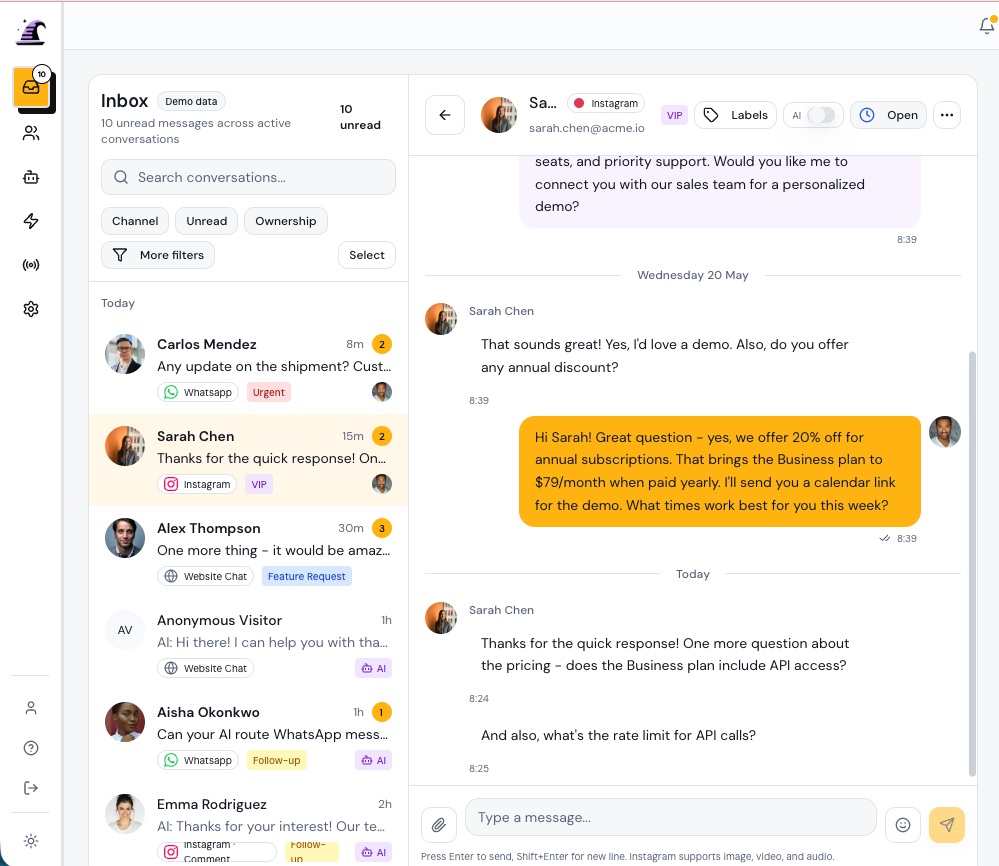
Take over with the context already in front of you.
See the customer, source channel, automated messages, collected details, and team replies in the same Conversation. Your team can continue from the point where automation should stop.
What to know before you connect Instagram.
- Which Instagram accounts can I connect?
- Support Buddy connects to Instagram professional accounts. You will complete the Meta authorization process when you add the channel.
- Can I choose which comments trigger a reply?
- Yes. Define the keyword or campaign phrase that should start the Automation, then configure the public response and private reply.
- Can the DM include a link or lead magnet?
- Yes. Add the relevant link or resource to the private reply, then include follow-up steps if you want to collect more information.
- Can a person take over the conversation?
- Yes. The Conversation appears in the shared inbox with the automation history, so a Teammate can review the context and continue the DM.
- Does Support Buddy work beyond Instagram?
- Support Buddy also supports WhatsApp and website chat. Connected conversations use the same inbox and handoff tools.
- How long is the free trial?
- Every plan includes a 14-day free trial. You can compare channel, Contact, teammate, and AI response limits on the pricing page.
Start turning Instagram engagement into conversations
Connect Instagram, test one comment trigger, and publish when the response path is ready.
14-day free trial. Cancel anytime.